Patient relationships
Build around patients and care teams that already know the practice rather than handing the relationship to another operator.
FairPath for Practices
FairPath gives your team one place to identify the right patients, enroll them, route daily work, document care, and see what is ready for billing across APCM, RPM, CCM, and RTM. Buffaly handles repeatable administrative work, data movement, integrations, and custom workflows around the program.
Your practice keeps the patient relationship, clinical decisions, data, staff knowledge, and economics.
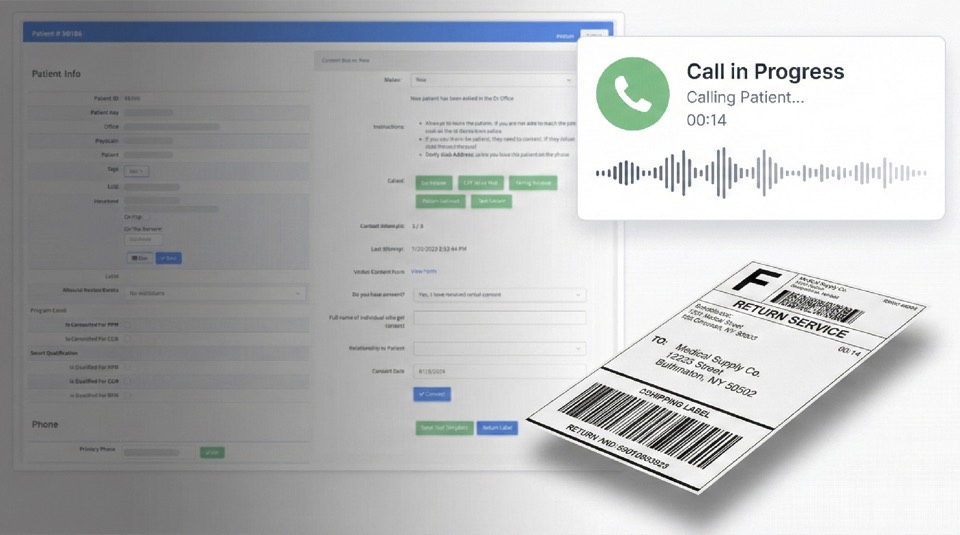
The practice does not need to buy a patient relationship from an outside operator. It needs a reliable way to identify which patients fit which programs, put the work in front of the right person, and keep the evidence and billing requirements visible during the month.
Build around patients and care teams that already know the practice rather than handing the relationship to another operator.
Use existing clinical judgment for escalation, care planning, and review while the operating system organizes repeatable work.
Retain the workflows, data, staff knowledge, and economics created as the program becomes part of the practice.
"The custom platform has completely transformed the way we operate-streamlining workflows and improving patient communication."
Rachel Agusti
COO/CFO, Tumi Medical Corp
Across the measured Medicare panel, total readings increased 12%, population readings improved approximately 17%, and 61.8% of patients improved month to month.
Read the practice resultIn the documented deployment, eligibility work that required approximately 45 minutes per patient was reduced to under five minutes, increasing onboarding capacity.
See operating contextWe model eligible patients, expected collections, staff hours, devices, billing, technology, and management. You can see what is likely to remain after direct costs and decide whether the program is worth expanding.
The decision becomes specific: which program, which initial cohort, which roles, and which operating assumptions can produce acceptable contribution, staff capacity, and clinical quality?
Bring your patient count, current programs, staffing, billing arrangement, and systems. We will use those inputs to make the conversation specific.
Bringing the program in-house does not mean asking clinicians to become software integrators or asking managers to move work between spreadsheets all day.
Identifies program fit and keeps the work organized.
Moves data, handles configured repeatable steps, connects systems, and prepares exceptions.
Makes the clinical, eligibility, enrollment, and business decisions that require judgment.
Each step produces visible evidence for the next role instead of depending on memory, spreadsheets, or month-end reconstruction.
Bring the source data and existing program information into one view.
Output: Source and import recordIdentify program fit, payer requirements, missing information, and exceptions.
Output: Qualified patient work queueGive enrollment, clinical, operations, and billing staff clear responsibility.
Output: Role and queue assignmentBring the next patient and reason forward based on urgency, risk, program status, and monthly requirements.
Output: Prioritized daily workKeep calls, texts, consent, time, and documentation attached to the patient record.
Output: Timestamped work recordShow billing review what is complete, what is blocked, and why.
Output: Billing-readiness statusCompare collections, staff hours, direct costs, exceptions, and capacity before adding the next cohort.
Output: Practice operating reviewStructured outreach and consent status help the team move an approved patient into the program without reconstructing prior activity.
Care-plan workflows make assigned pathways, goals, and recurring clinical work visible to the roles responsible for delivery and review.
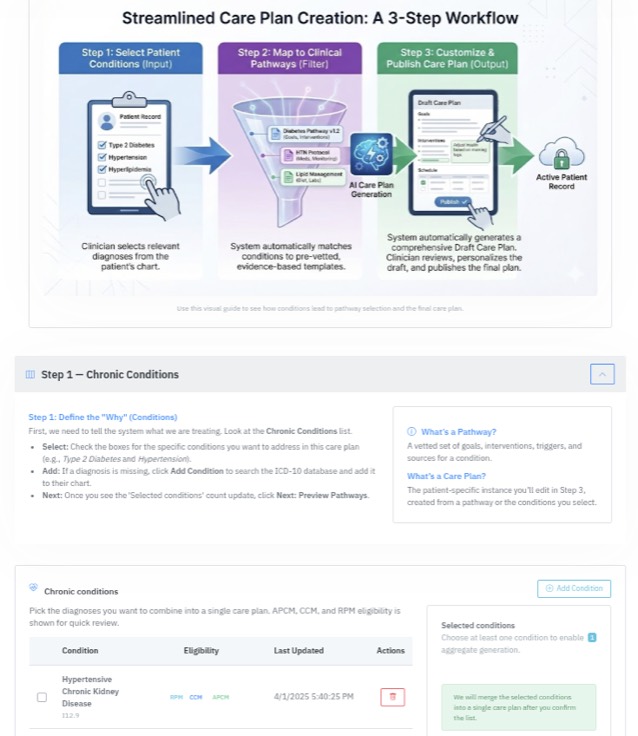
A patient export is not a program. Buffaly prepares the records, finds missing information, applies configured program and payer rules, and sends ambiguous cases to staff before FairPath creates the daily work queue.
Patient export, demographics, diagnoses, payer information, and current program status.
Practice staff approve ambiguous eligibility, clinical appropriateness, and final enrollment decisions.
The team begins with routed work instead of a spreadsheet that staff must inspect patient by patient.
FairPath does not require every practice to begin at the same point or replace every useful system at once.
Current state
Start with one service and 25 to 50 eligible patients.
Keep staffing, documentation, billing review, and patient communication under control.
Current state
Map current tools, queues, roles, and handoffs into one FairPath workflow.
Keep useful systems while replacing disconnected manual coordination.
Current state
Document the current patient, data, workflow, and contract boundaries.
Plan a controlled transition that protects patient care and billing continuity.
Current state
Choose one recurring bottleneck across APCM, RPM, CCM, or RTM.
Standardize one operating spine rather than adding another isolated tool.
The first cohort creates more than collections. Your staff learns the work, the patient and payer patterns become clearer, and the workflows become easier to repeat. The next cohort should begin with better information and less setup.
FairPath and Buffaly help the practice keep that knowledge, data, and workflow instead of buying the same learning again each month.
Use one focused cohort to validate patient selection, role assignments, daily work, communication evidence, billing review, staffing demand, and the transition into a repeatable monthly operation.